Shell Scripting : Password.sh

Hey, I am Nidhish Malav i am a aspiring cloud enthusiast who is eager to embark on a journey into the world of cloud computing. With a strong passion for technology and a keen interest in cloud-based solutions, I am driven to learn and contribute to the ever-evolving field of cloud computing. As a student of Computer Science, I acquired a solid foundation in fundamental programming concepts, networking, and system administration.
What is Shell Scripting?
Shell scripting refers to writing scripts or programs that are interpreted and executed by a shell, which is a command-line interpreter for operating systems like Unix, Linux, and macOS. The shell is an interface between the user and the operating system, allowing users to execute commands and perform various tasks.
A shell script is a text file containing a series of commands written in a scripting language specific to the shell being used, such as Bash (Bourne Again SHell) or C Shell (csh). These scripts can automate repetitive tasks, perform system administration tasks, or combine multiple commands into a single script for more complex operations.
Input as Password
Create a file of any name (ex-password.sh).
Use the extension (.sh).
You can create a file using the touch command.
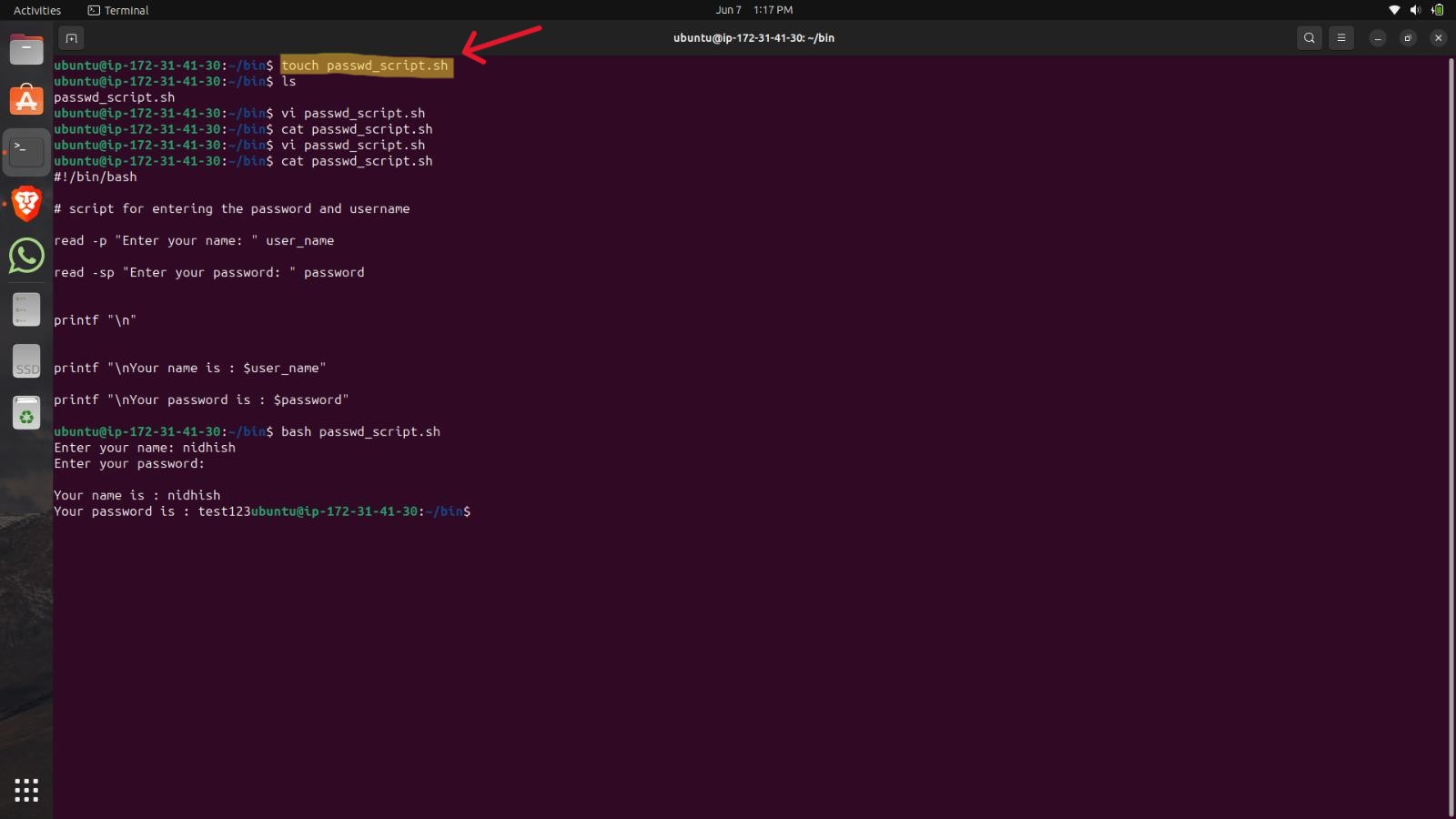
Now type the command vi with the file name to open the editor.

Write the shebang line at the top of the file.

You can use the read -p command to prompt the message with the variable.

To hide the password while typing you have to use the read -sp command.
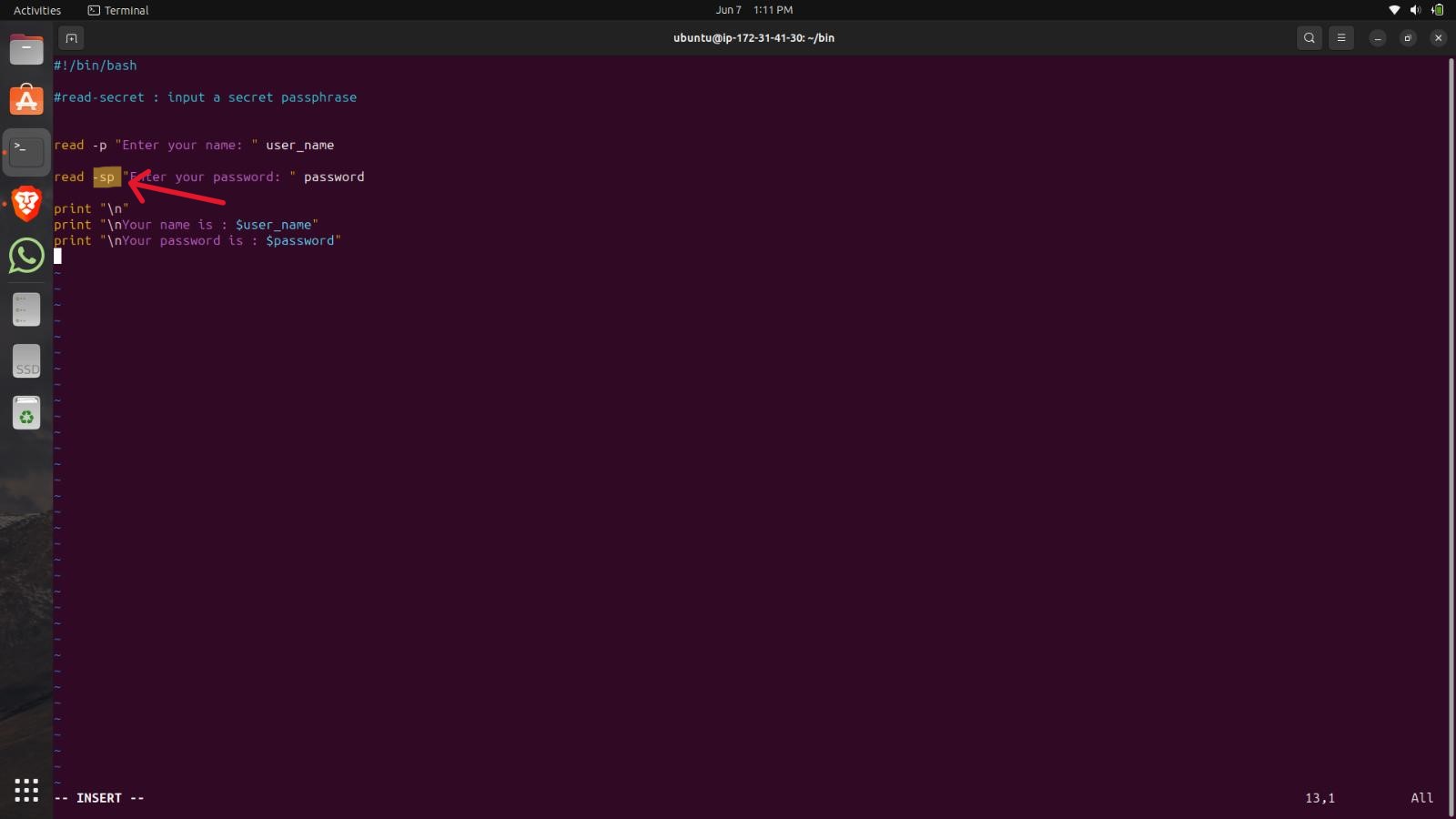
You can use the printf command to print the results.
NOTE: The f of printf is missing in the screenshot please ignore it and use the printf command only.

Save and exit the vi editor by typing:wq!.
Run the script by using the bash command.
Type the bash then file name (ex- bash password.sh)
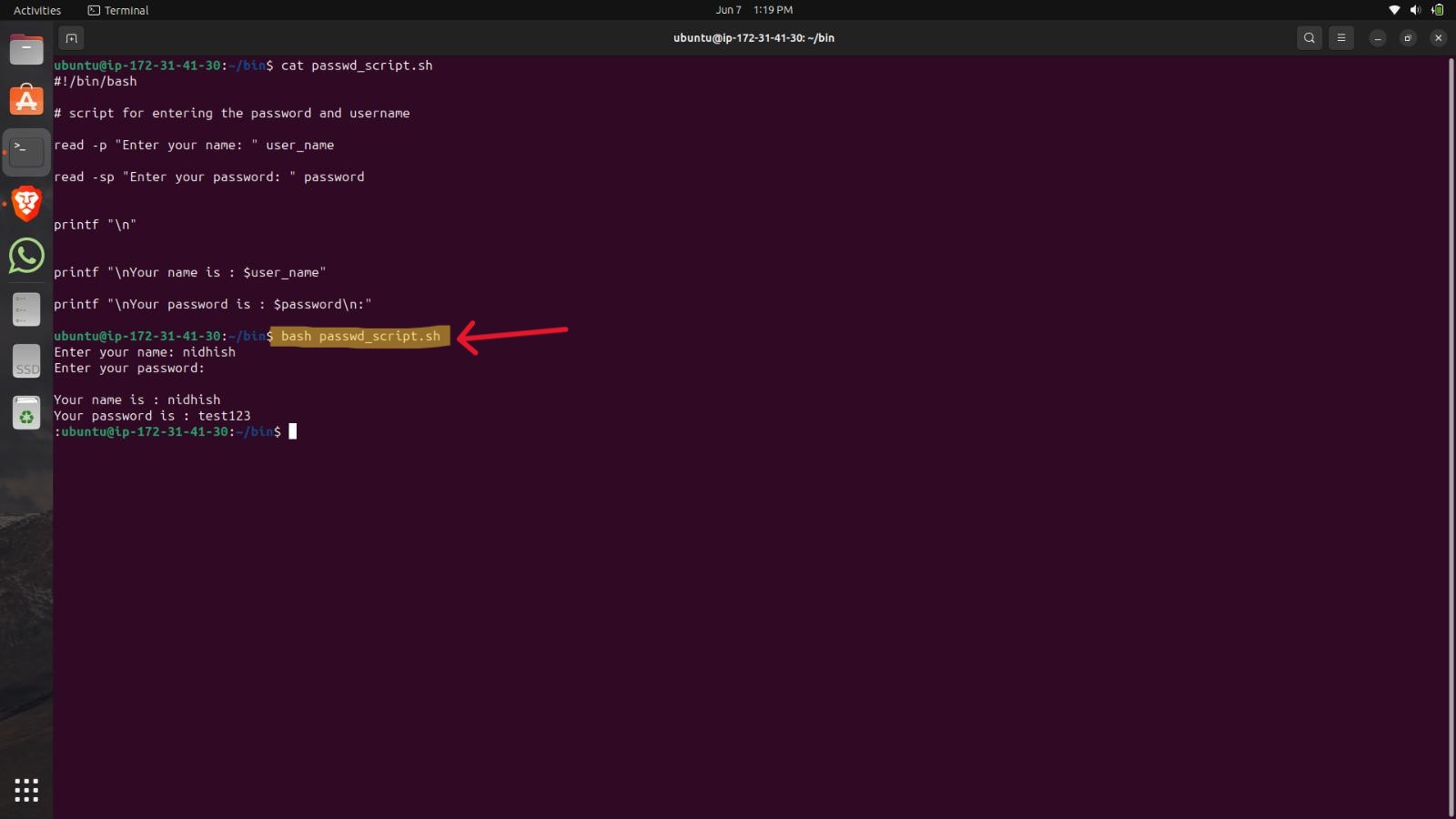
You can see the results below.


