Elastic IP : EC2

Hey, I am Nidhish Malav i am a aspiring cloud enthusiast who is eager to embark on a journey into the world of cloud computing. With a strong passion for technology and a keen interest in cloud-based solutions, I am driven to learn and contribute to the ever-evolving field of cloud computing. As a student of Computer Science, I acquired a solid foundation in fundamental programming concepts, networking, and system administration.
What is Elastic IP?
In Amazon Web Services (AWS), Elastic IP (EIP) is a static public IPv4 address that can be associated with an Amazon Elastic Compute Cloud (EC2) instance. By default, when you launch an EC2 instance, it is assigned a dynamic public IP address that can change every time the instance is stopped and started. However, if you require a fixed and persistent public IP address for your EC2 instance, you can allocate an Elastic IP and associate it with your instance.
How to Create an Elastic IP?
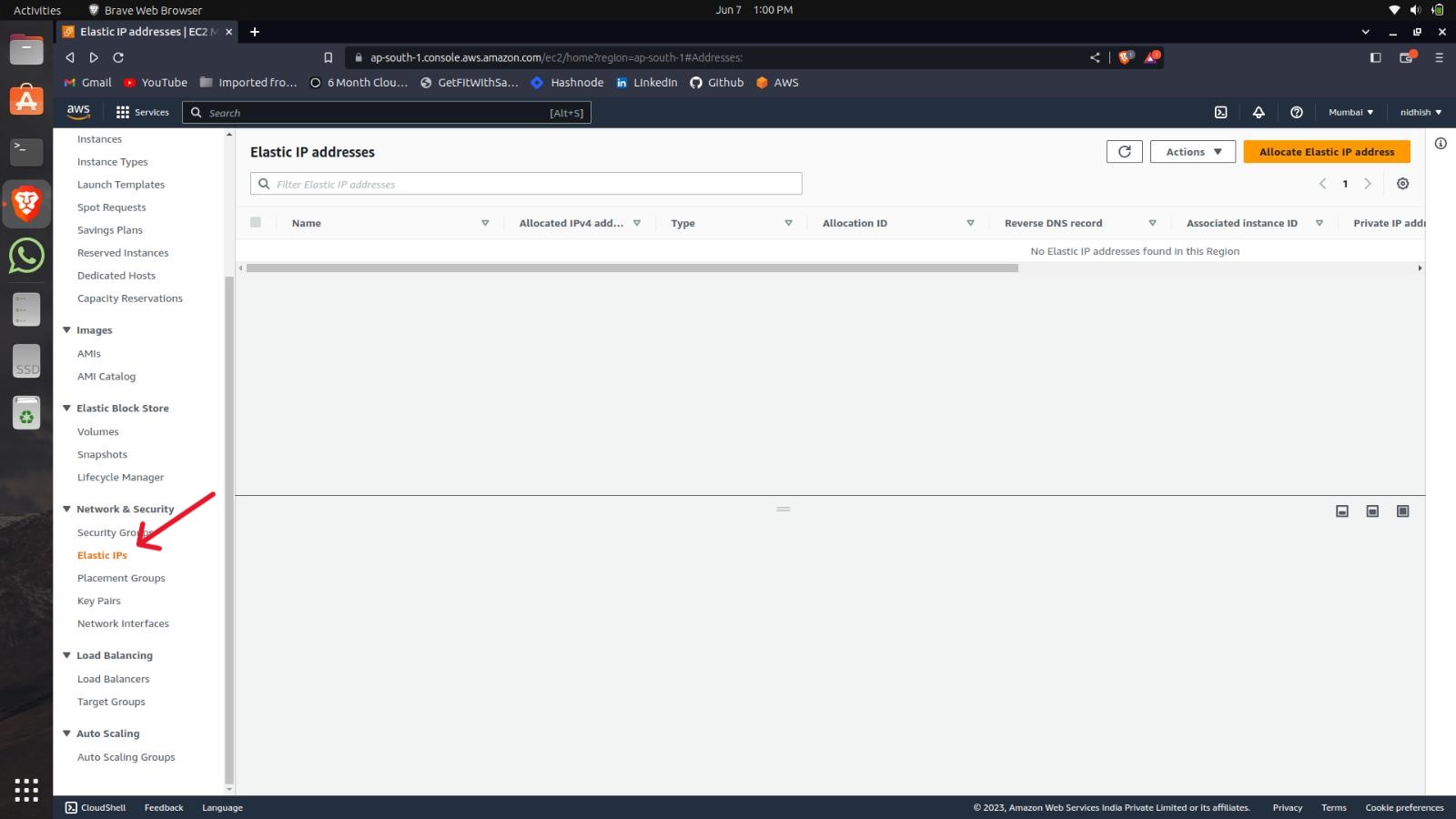
Go on the Elastic IP Panel.
Click on the Allocate Elastic IP address.
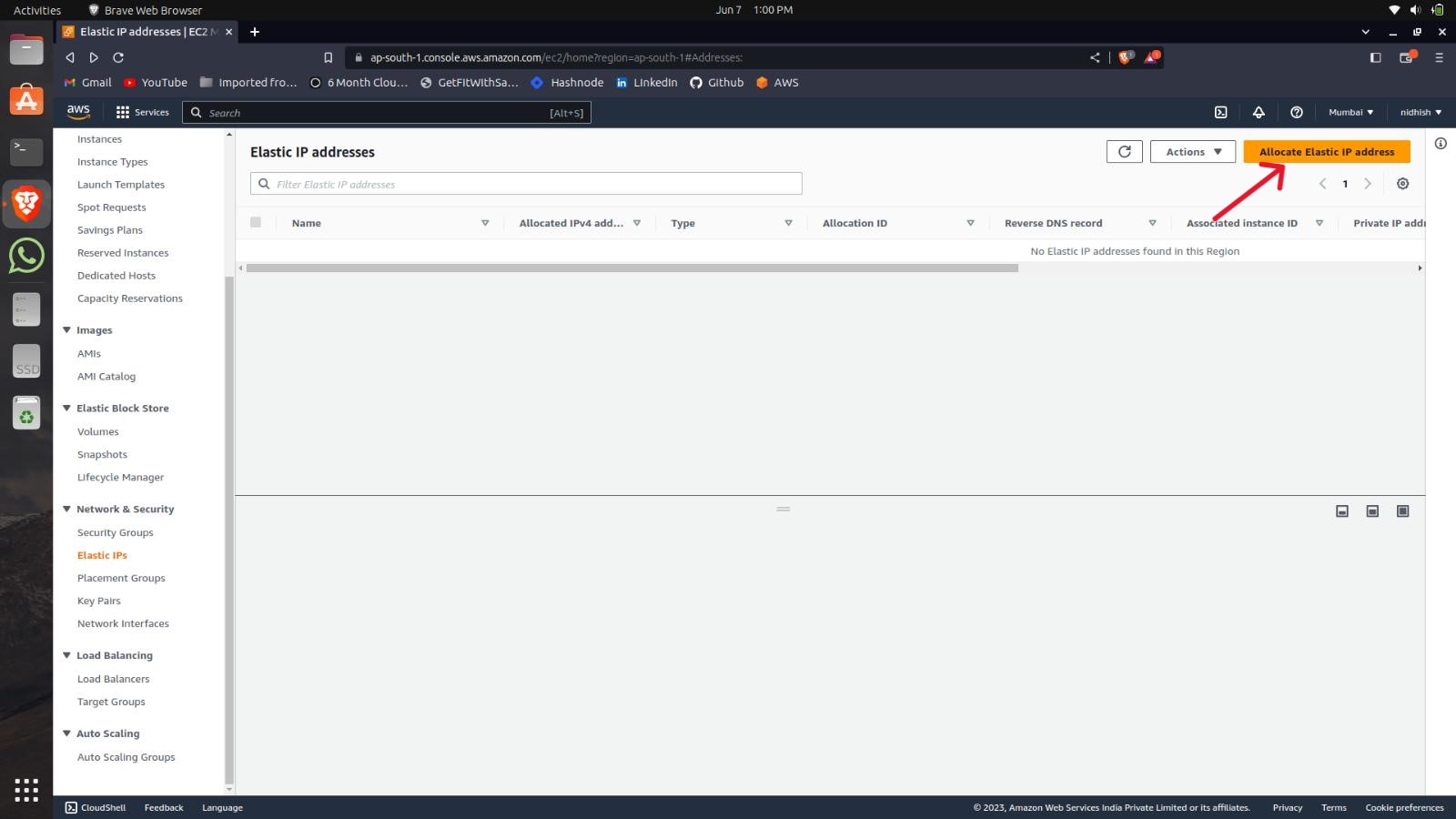
Then Click on Create your IP will be created.

How to Associate the IP?
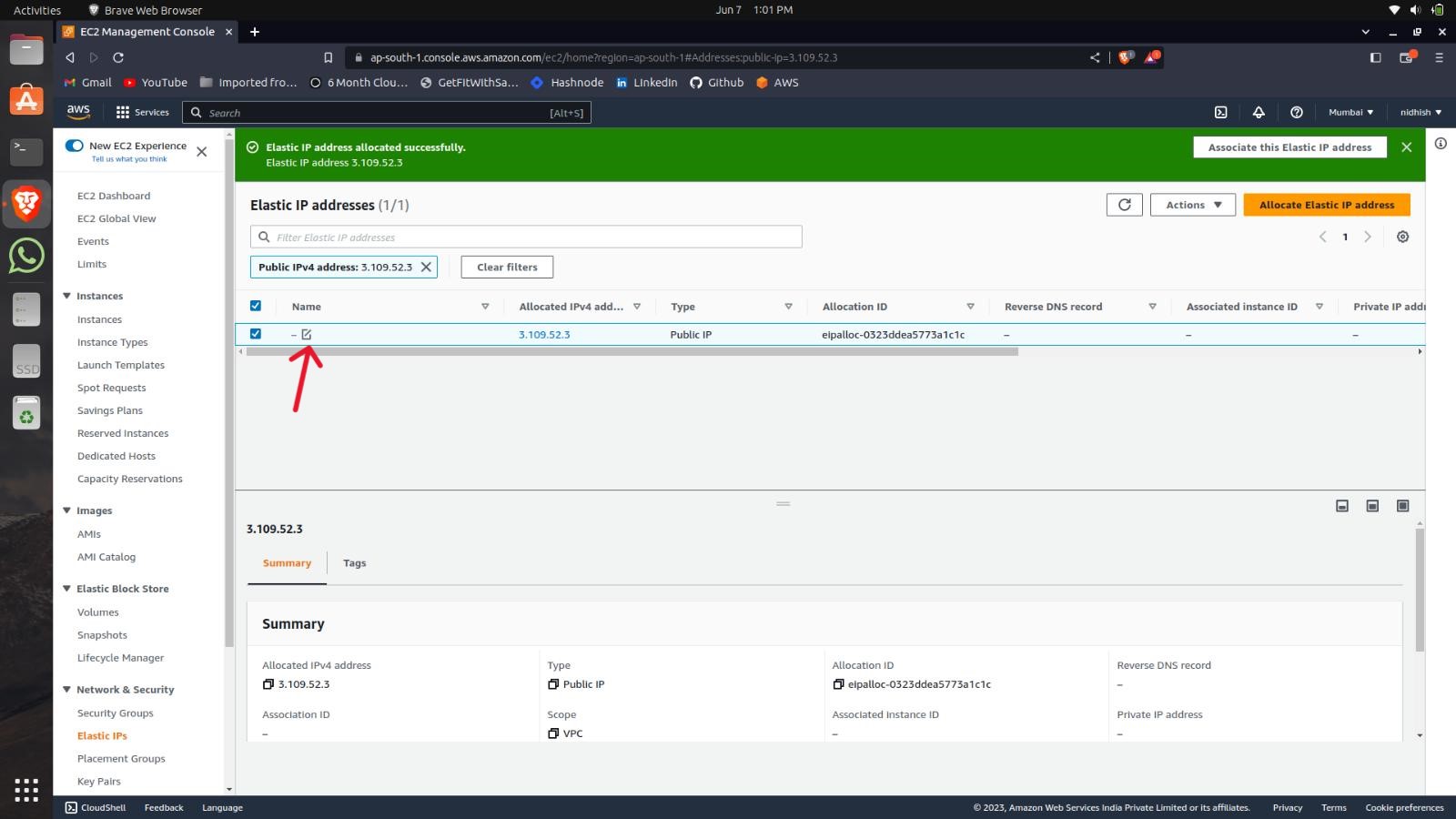
Give the IP a name as per your choice by clicking over here,
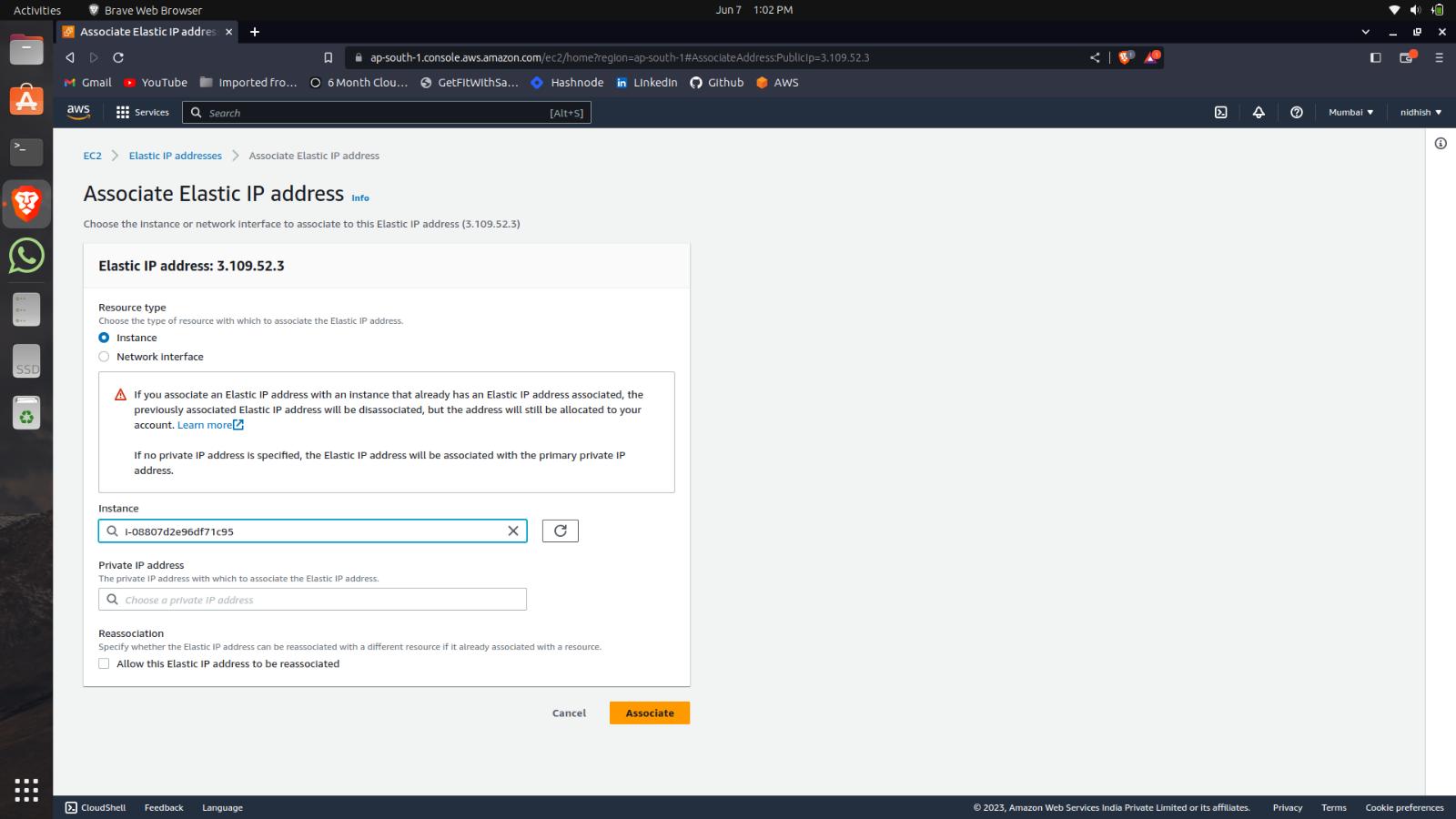
After naming click on the Actions and click on the Associate the IP address option.
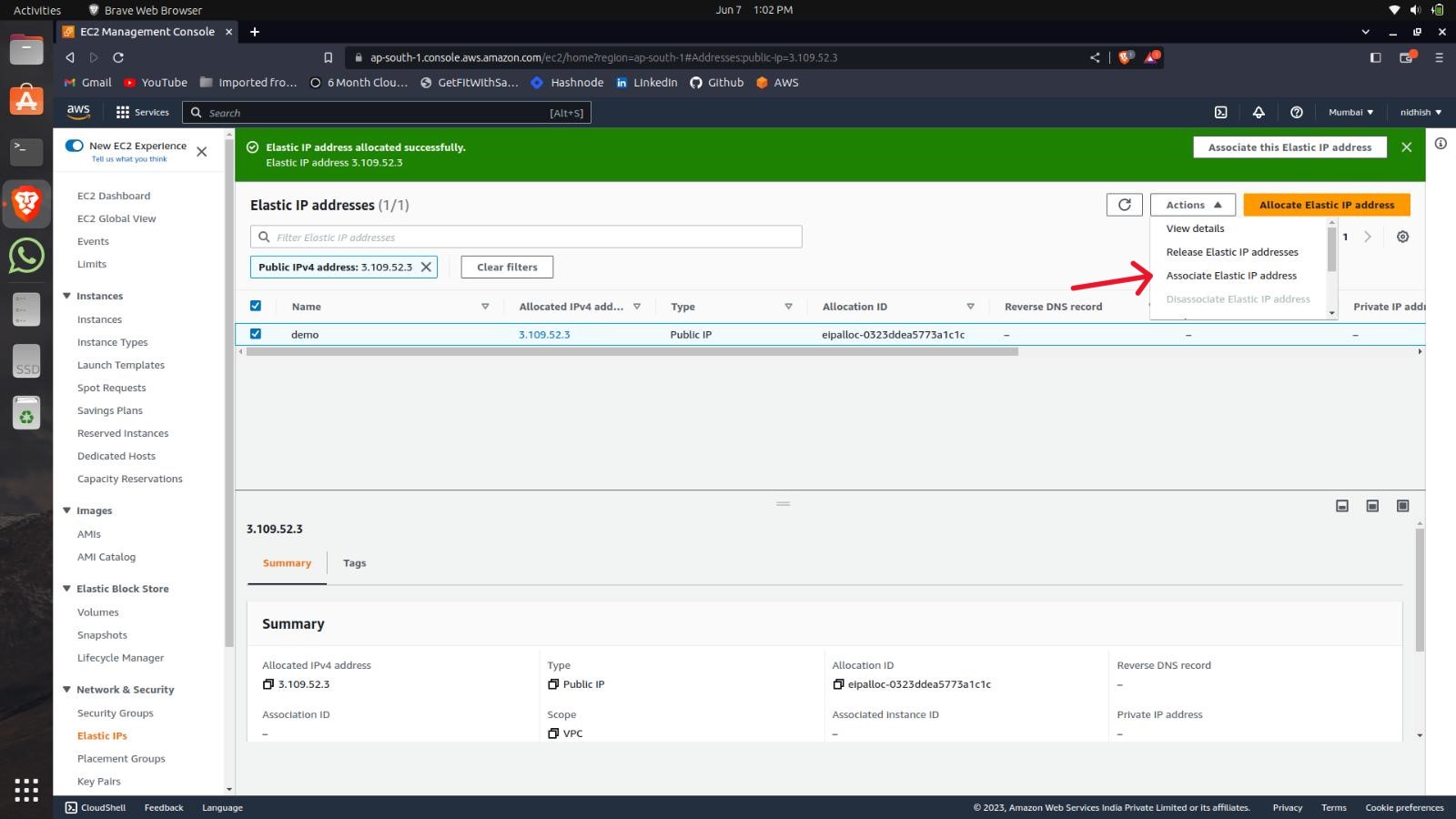
Select the Instance you want to Associate the IP.
How to Delete the Elastic IP?
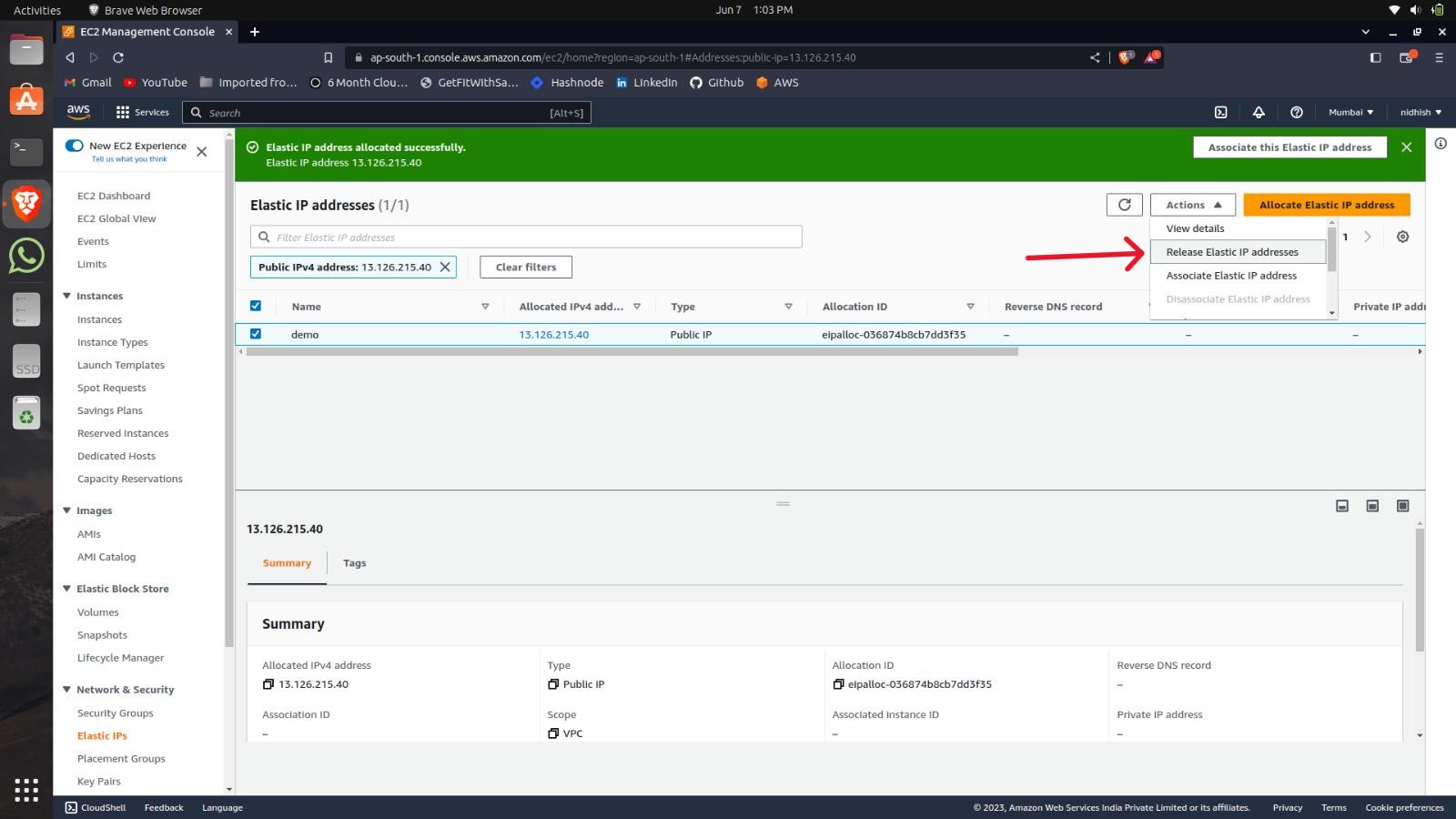
Click on the Actions and select the Release IP option.
Select Release the IP.
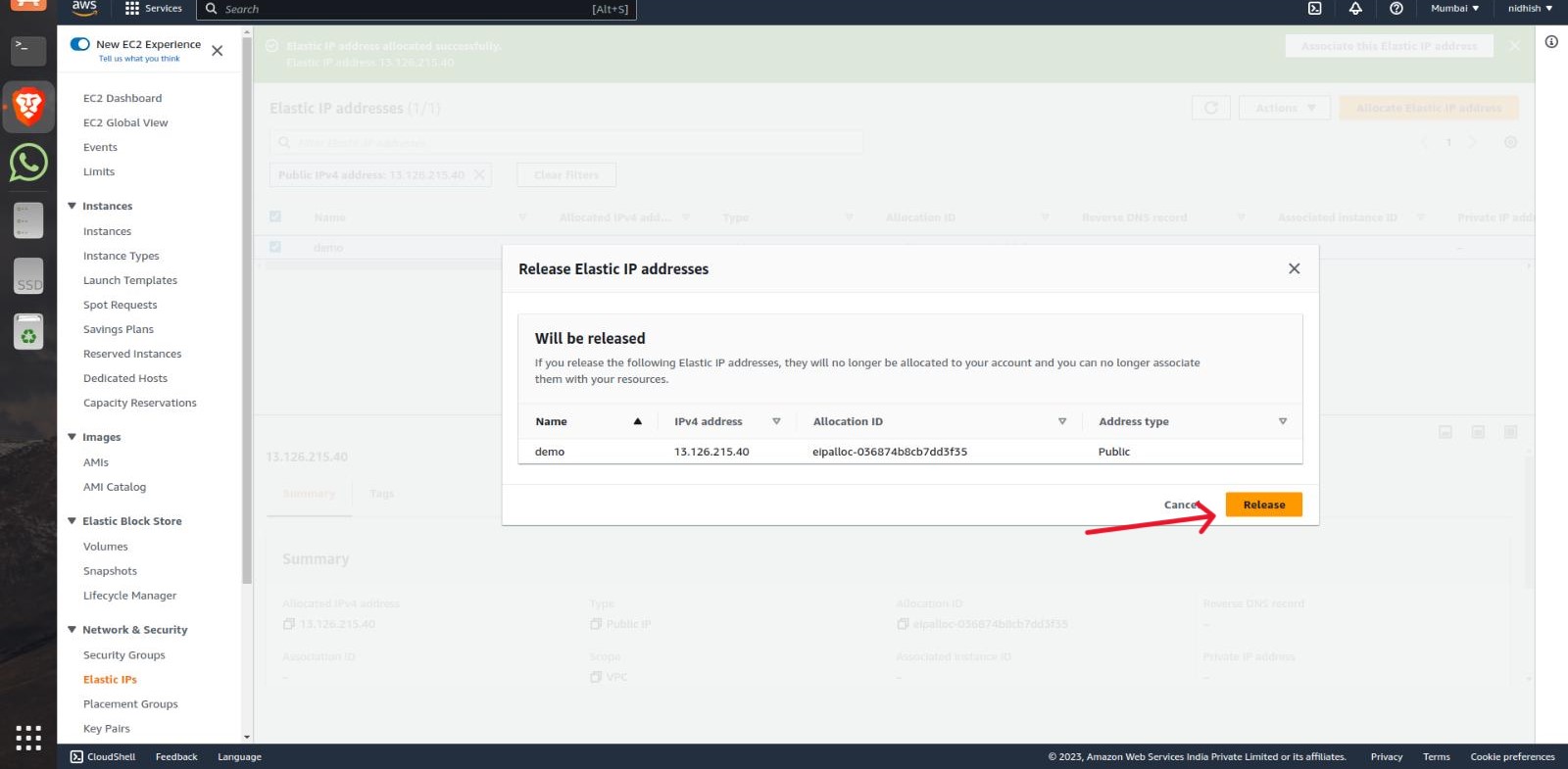
Your Elastic IP will be deleted.


